
VN: Photo & Video Editor
Ubiquiti Labs, LLCVideo Players & Editors
4.717.81K Reviews
- Version
- 2.24.0
- Installs
- 100.00M
- Age Rating
- Teen
Screenshots

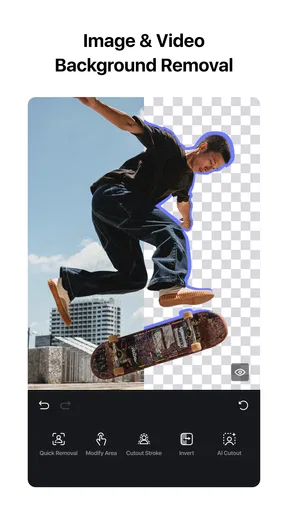
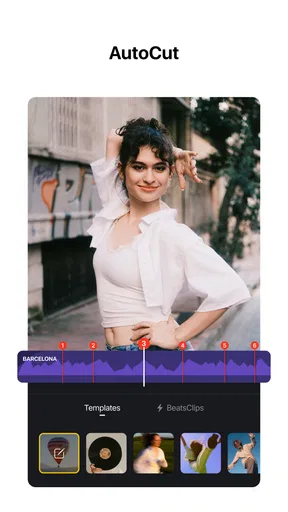
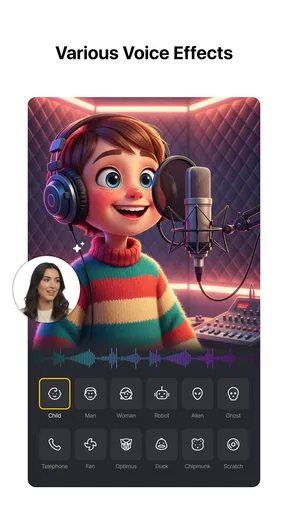
Our Review of VN: Photo & Video Editor
 Analysis by Appyee
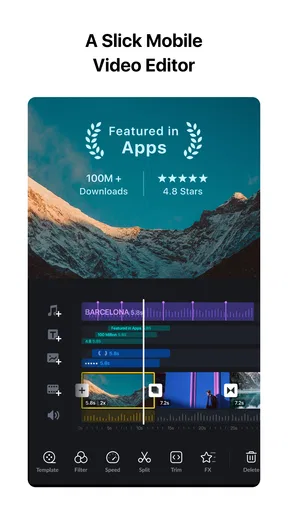
I usually find out whether a mobile editor suits me in the moments when the connection is unreliable: a clip is ready, I want to finish it, and the app’s next step depends on a network. With VN - AI Video Editor, I’d treat editing and sharing as separate parts of the job. It is a video-editing app from Ubiquiti Labs, LLC, and its value is in giving a phone-based project a more deliberate, layered workflow than a quick trim tool. That makes it worth considering for short social videos, personal highlights, and small projects where I want some control without moving to a desktop editor.
Where a connection matters most
The practical question is not simply whether an editor has a lot of tools; it is how smoothly I can get from source clips to a finished file when I’m moving between places and networks. VN’s editing controls, previews, and export choices are the parts I’d pay attention to first. Sharing to social platforms is a different step: it depends on the destination service and the connection available when I send the video. I’d avoid leaving a final upload until the last minute if I’m on a weak signal.
The app is free to download, with in-app purchases ranging from $0.99 to $69.99 per item. That makes it easy to try the basic editing experience before deciding whether anything beyond it matters to my workflow. It is rated for teens, and its 4.7 average from around 5.1 million ratings suggests that it has reached a very broad audience. Those figures are useful context, but they do not tell me whether every tool will suit my projects; the best test is to build a small edit with the kind of footage I actually use.
A phone-first workflow, with sensible limits
For a realistic everyday use, imagine I’ve filmed a few moments at a family get-together and want to make a concise recap before sharing it. I can arrange the shots, add a title or music layer, and preview the sequence before exporting. The useful habit is to decide the story before reaching for effects: choose the opening moment, keep only the clips that move the recap along, then add text or music where it helps. That approach makes the editing process clearer and reduces the temptation to keep adding decoration.
VN is especially appealing if I like editing directly on a phone and want more than a one-tap template. It has over 100 million installs, and version 2.11.0 is available for devices running Android 7.0 or later. Still, a phone screen is a cramped place to compare fine timing, inspect small text, or manage a crowded timeline. For a complex project with many detailed adjustments, I’d rather use a larger display and a desktop editor. The mobile format is a strength for quick, personal work, not a universal replacement for a full workstation.
First Impressions Matter
When you first launch the VN - AI Video Editor, you're greeted with a sleek and intuitive interface. It's clear that the developers wanted to make sure users could jump right in without a steep learning curve. The design is clean, with large icons and easy-to-read text, which helps in navigating through the various features. Whether you're a seasoned editor or a newbie, you won't find yourself lost in a sea of confusing menus.
Features Galore
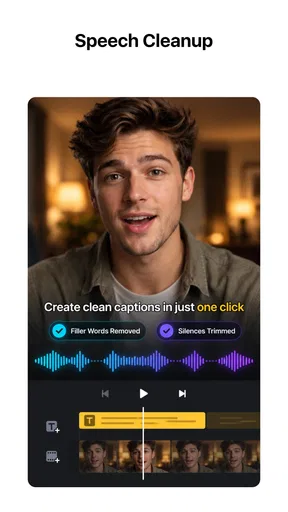
Now, let's talk about the features. This app is packed with an impressive array of tools that cater to both basic and advanced editing needs. One of my favorite aspects is the AI-powered editing capabilities. The app intelligently suggests edits, which can be a real time-saver when you're working on a tight schedule. The auto-cut feature is particularly handy for trimming down long clips without losing important content.
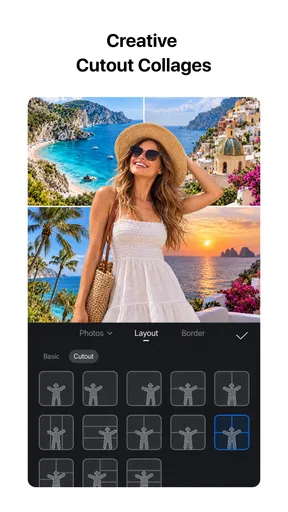
Moreover, the app supports multi-layer editing, allowing you to add text, images, and even music tracks over your videos. This is perfect for creating professional-looking content for social media or personal projects. Plus, with an extensive library of filters and effects, you can easily give your videos a unique and polished look.
User Experience
I was genuinely impressed by how user-friendly this app is. The drag-and-drop functionality makes it a breeze to rearrange clips, and the real-time previews ensure you're always aware of how your edits will look. The app doesn't lag, even when handling high-resolution videos, which is a huge bonus for those of us with limited patience.
One standout feature is the tutorial mode. If you're ever unsure about how to use a specific tool, the app offers step-by-step guidance. It's like having a personal editing tutor right in your pocket.
Getting a project safely to the finish line
My practical advice is to make the edit in stages rather than treating export as an afterthought. First get the sequence and pacing right, then check the text and music layers in the preview, and only then choose an output size. A quick review at full attention can catch a title that sits too close to an edge or a transition that feels rushed—details that are easy to miss while editing on a small screen. If the video is meant for a particular social feed, I’d also check that destination’s current format expectations before exporting instead of assuming one preset will suit every post.
AI suggestions can speed up a first pass, but I wouldn’t hand them the final say on a personal montage or a clip where timing carries meaning. A cut that removes a pause may make a sequence shorter while also removing the reaction that made the moment funny. I use automatic help as a draft: accept the parts that improve rhythm, then inspect the joins around speech, gestures, and music beats. This is a useful trade-off to understand before relying on auto-cut for footage that matters.
Sharing and Exporting
Once your masterpiece is complete, exporting and sharing your video is straightforward. The app offers multiple resolution options, ensuring that your videos look great on any device. Plus, you can directly share your creations to various social media platforms without leaving the app, making it a convenient choice for influencers and content creators.
When I’d choose another editor
Compared with a basic phone editor that mainly trims clips and adds a simple title, VN gives me a more involved timeline and room to combine layers. That extra control is useful when I want captions or images to appear at specific moments, or when I’m shaping a sequence rather than applying a ready-made look. On the other hand, someone who only needs to remove the beginning and end of a clip may be happier with the built-in editor on their phone: fewer decisions can mean a faster finish.
I’d also look elsewhere if the job depends on collaborative review, highly detailed sound mixing, or repeated fine adjustments across a long project. A mobile timeline can become fiddly as the number of clips and layers grows, and a connection-dependent sharing step can add friction when I’m away from reliable service. VN makes most sense to me as a capable personal editor, not as a promise that every part of a production workflow belongs on one phone.
Working carefully with data and storage
Video files can be cumbersome to move around, so I try to make choices that avoid unnecessary exports. I preview the edit before saving a final copy, and I choose a resolution that fits where I plan to watch or share it rather than automatically selecting the largest option. That saves time when a project is only a casual recap, while a clip intended for a larger screen may justify a higher-resolution output. The right choice depends on the destination and the source footage, not on a universal setting.
When I’m using mobile data, I separate finishing the edit from uploading it. I can make creative decisions first, then wait until I have a suitable connection to share the result. I also keep track of where my source clips and exported version are stored so I don’t create multiple near-identical copies by mistake. These are small habits, but they make a phone-based workflow easier to manage, especially when a project includes several takes and revisions.
Who will get the most from it
I’d recommend giving VN a try if you regularly turn phone footage into short, intentional videos and want more say over pacing, layers, and presentation than a bare-bones editor offers. It can also be a good learning ground: the tutorial mode helps when a control is unfamiliar, while making a simple project lets a beginner learn one decision at a time. More experienced creators may appreciate being able to assemble a quick draft without opening a larger editing setup.
I’d skip it for now if I wanted an editor to make every creative decision automatically, or if my work required precise control that is uncomfortable on a small display. It may also be the wrong fit when my only need is a fast crop or trim, or when I can’t rely on a good connection at the moment I need to publish. Since the app has optional purchases, I’d begin with the free experience and consider paying only if a specific need makes the value clear.
Room for Improvement
While the VN - AI Video Editor is impressive, there's always room for improvement. One area that could be enhanced is the music library. Although there are some decent options available, expanding the collection would provide even more creative freedom for users.
Additionally, while the AI features are generally spot-on, they can sometimes make overzealous cuts. A bit more control over these suggestions would be a welcome addition.
My connectivity verdict
What I like most is the balance between a relatively approachable start and tools that let me shape a clip beyond the bare minimum. What I would keep in mind is that good editing and convenient publishing are not the same thing: I can plan and refine a video on the phone, but sharing still depends on the destination and the connection available when I’m ready. If I’m often creating short personal or social videos, that trade-off feels reasonable. If my work is complex, collaborative, or time-critical, I’d choose a more specialized setup.
In conclusion, VN - AI Video Editor stands out as a versatile and powerful tool for video editing enthusiasts. Its balance of ease-of-use and feature-rich options makes it an excellent choice for anyone looking to produce high-quality videos without the hassle. Whether you're cutting a quick clip for Instagram or crafting a cinematic masterpiece, this app has got you covered. So, if you haven't checked it out yet, give it a spin—you won't be disappointed!
Privacy and Permissions
See what permissions an app requests and how it handles your data.
- Phone
- read phone status and identity
- Photos/Media/Files
- read the contents of your USB storage, modify or delete the contents of your USB storage
- Storage
- read the contents of your USB storage, modify or delete the contents of your USB storage
- Camera
- take pictures and videos
- Microphone
- record audio
- Wi-Fi connection information
- view Wi-Fi connections
- Device ID & call information
- read phone status and identity
- Other
- view network connections, change network connectivity, allow Wi-Fi Multicast reception, connect and disconnect from Wi-Fi, control flashlight, full network access, draw over other apps, control vibration, prevent device from sleeping
Verdict
Strengths of VN: Photo & Video Editor
- User-friendly interface for easy editing.
- Wide range of AI-powered effects.
- Quick export with high-quality results.
- Supports multiple video formats.
- Regular updates with new features.
Limitations of VN: Photo & Video Editor
- Limited free version features.
- Occasional crashes on older devices.
- In-app purchases can be pricey.
- Some features need internet connection.
- Ads in the free version can be intrusive.
Similar Picks in This Category
View All
Google TV
Google LLC3.9

iTunes
Apple4.7

YouTube
Google LLC3.8

MX Player
Amazon Mobile LLC4.2

CapCut - Video Editor
Bytedance Pte. Ltd.3.5

PLAYit-All in One Video Player
PLAYIT TECHNOLOGY PTE. LTD.4.5
Frequently Asked Questions
What features does VN - AI Video Editor offer for beginners?
VN - AI Video Editor provides a user-friendly interface, making it perfect for beginners. It offers intuitive drag-and-drop functionality, AI-assisted editing tools, and a variety of templates to help users create professional-looking videos without any prior experience. Additionally, in-app tutorials and guides are available to assist newcomers in mastering the basics.
Is VN - AI Video Editor suitable for professional video editing?
Yes, VN - AI Video Editor caters to both beginners and professionals. It offers advanced editing features like multi-layer editing, keyframe animations, and precise control over video effects and transitions. The AI tools enhance efficiency, allowing professionals to achieve high-quality results while saving time on repetitive tasks.
Does VN - AI Video Editor support multiple video formats?
VN - AI Video Editor supports a wide range of video formats, ensuring compatibility with most devices and cameras. Users can import and export videos in formats such as MP4, MOV, and AVI, among others. This flexibility ensures that you can work with various media files without format-related issues.
Are there in-app purchases or subscription fees in VN - AI Video Editor?
VN - AI Video Editor is free to download and use, but it does offer optional in-app purchases. These include premium features and effects that enhance the editing experience. A subscription option is available for users who want access to all advanced features and regular updates without any restrictions.
How does the AI feature enhance video editing in VN - AI Video Editor?
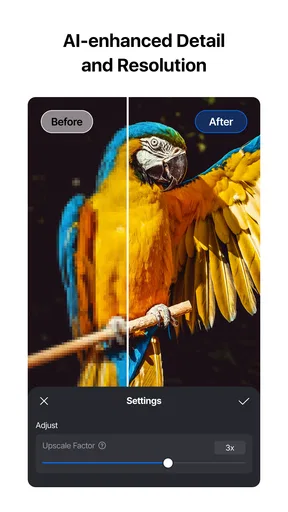
The AI feature in VN - AI Video Editor automates several editing tasks, making the process more efficient. It can suggest edits, apply filters, and optimize video quality based on content analysis. This allows users to achieve professional results quickly, even with minimal editing knowledge, by leveraging AI-driven insights and adjustments.
